An MCP Gateway With Keycloak and SPIFFE: the Proof of Concept
On this page
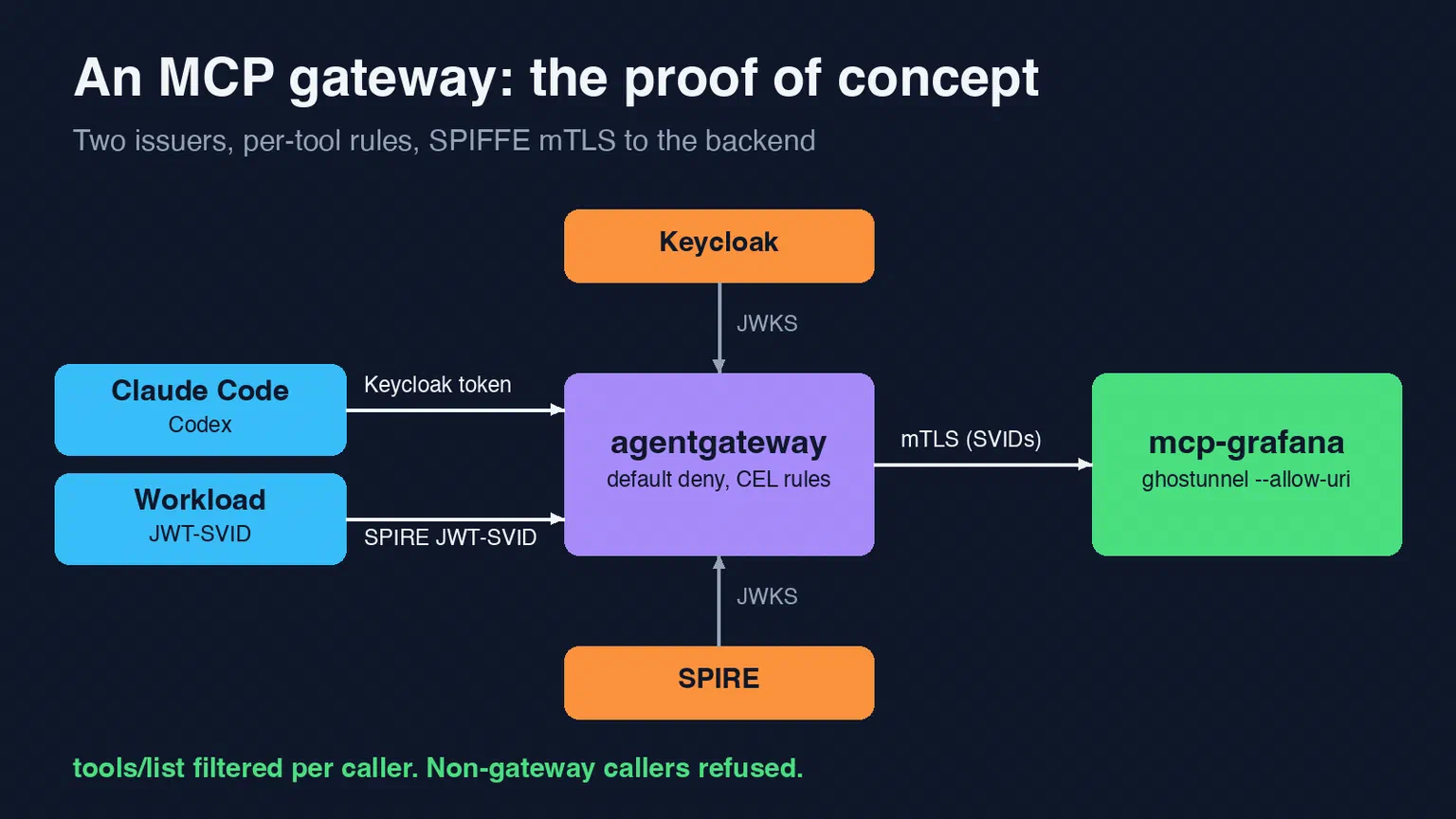
Part 1 named agentgateway as the gateway candidate and listed what a proof of concept had to show. It had to accept tokens from both Keycloak and SPIRE, use mTLS with SPIFFE certificates to reach the MCP servers, and work with the OAuth discovery of real MCP clients. This part is that proof of concept, on our non-production Talos cluster, with one MCP server behind it.
All three held up. The third took two wrong turns first.
The setup #
client ──JWT──> HAProxy ingress (mcp-dev.bsdserver.nl, internal allow-list)
       ──> agentgateway ──mTLS (X.509-SVIDs)──> ghostunnel ──loopback──> mcp-grafana
Everything lives in one namespace, mcp-dev, deployed by Flux. The namespace carries the spiffe.io/enabled=true label from part 3, so every pod in it gets a SPIFFE ID derived from its service account. Each workload has its own service account, and none of them mounts a Kubernetes API token.
The test server is mcp-grafana 2.3.0. It listens on 127.0.0.1 only, so nothing outside its own pod can reach it.
The sidecar is ghostunnel 1.11.5. It is the pod’s only network entry. It takes its certificate from the SPIRE agent and accepts exactly one client identity:
args:
  - server
  - --listen=0.0.0.0:8443
  - --target=127.0.0.1:8000
  - --use-workload-api-addr=unix:///spiffe-workload-api/spire-agent.sock
  - --allow-uri=spiffe://nonprod.bsdserver.lan/ns/mcp-dev/sa/mcp-gateway
  - --status=http://0.0.0.0:6060
The gateway is agentgateway 1.7.0. We run it standalone, from a config file, not through its Kubernetes Gateway API controller. For one gateway with a handful of routes, a config file in Git is easier to read and review.
Network policies start at default deny. The MCP server pods accept traffic only from the gateway, on the mTLS port. The policy and the certificate check overlap on purpose: either one alone would stop a stray pod.
Two small things broke on the way. Neither is specific to MCP, but both cost time:
- ghostunnel’s
--statuslistener speaks TLS unless the address starts withhttp://. The kubelet’s readiness probe then got “HTTP request to an HTTPS server”. - mcp-grafana protects against DNS rebinding by checking the
Hostheader. By default only loopback names are allowed, so every request from the gateway got a 403. The fix is--allowed-hostswith the Service name, never*.
Workloads: a route for JWT-SVIDs #
The gateway gets its own SPIFFE identity from the SPIRE agent, the same way the backend does:
config:
  spiffe:
    endpoint: unix:///spiffe-workload-api/spire-agent.sock
The workload route validates JWT-SVIDs with audience mcp-gateway and applies rules written in CEL. Anything a rule doesn’t allow is denied:
- name: grafana-workload
  matches:
  - path: {exact: /workload/grafana/mcp}
  policies:
    jwtAuth:
      mode: strict
      providers:
      - issuer: https://spire-oidc-nonprod.bsdserver.nl
        audiences: [mcp-gateway]
        jwks:
          url: http://spire-spiffe-oidc-discovery-provider.spire-server.svc.cluster.local/keys
    mcpAuthorization:
      rules:
      - 'jwt.sub == "spiffe://nonprod.bsdserver.lan/ns/mcp-dev/sa/spiffe-smoke" && mcp.tool.name == "list_datasources"'
  backends:
  - mcp:
      targets:
      - name: grafana
        mcp:
          host: grafana-mcp.mcp-dev.svc.cluster.local
          port: 8443
          path: /mcp
        policies:
          backendTLS:
            spiffe: {}
            subjectAltNames:
            - spiffe://nonprod.bsdserver.lan/ns/mcp-dev/sa/grafana-mcp
Two details stand out. The JWKS comes from the in-cluster Service, because the ingress allow-list from part 3 doesn’t admit pod addresses. And backendTLS with subjectAltNames means the gateway checks the backend’s identity as well. mTLS here works in both directions.
We tested from a pod running under the spiffe-smoke service account, through the real ingress:
| Test | Result |
|---|---|
| No token | 401, with a WWW-Authenticate header |
JWT-SVID with audience vault | 401 |
Valid JWT-SVID, initialize | 200 |
tools/list | Only list_datasources; the rest of mcp-grafana’s tools are filtered out |
tools/call on another tool | Denied by the gateway |
| A pod with the gateway’s labels but a different SPIFFE ID, calling the backend directly | Refused by ghostunnel: principal not allowed |
| Plain HTTP to the backend port | Refused |
The impostor test matters most. The network policy lets that pod through, because it matches on labels and the impostor copied them. The certificate check is what stops it.
People: Keycloak OAuth #
MCP clients discover how to sign in. The gateway answers an unauthenticated request with a 401 and a link to its protected-resource metadata (RFC 9728). That document names an authorization server. The client then fetches the authorization server’s own metadata (RFC 8414) and runs an OAuth flow with PKCE.
agentgateway’s mcpAuthentication policy handles the gateway side. One limitation shaped the config: it takes one issuer per route. So people and workloads get separate paths, /grafana/mcp and /workload/grafana/mcp, in front of the same backend.
The Keycloak side, in Terraform #
Our rule is that new Keycloak clients are first tried in a disposable test realm. I first proposed creating that realm with Keycloak’s admin CLI inside the pod. That was rejected straight away, and rightly: we don’t change infrastructure by hand, and a test realm is no exception.
The Keycloak Terraform module we use needed two additions before it could manage a second, disposable realm:
- Test users with generated passwords. The module now creates a random password and writes it to Vault, so no password ends up in Git.
- A switch to skip the module’s own Terraform client. That client exists once, in the main realm. A second unit would otherwise try to create it again.
The realm test-mcp then holds:
- a bearer-only client
mcp-gateway, which only serves as the token audience; - a client scope
mcpthat putsmcp-gatewayin the audience; - a public client
mcp-cliwith PKCE (S256), the device grant and loopback redirect URIs, which every CLI uses; - one test user,
mcp-tester.
The gateway route:
- name: grafana-people
  matches:
  - path: {exact: /grafana/mcp}
  - path: {exact: /.well-known/oauth-protected-resource/grafana/mcp}
  policies:
    mcpAuthentication:
      mode: strict
      issuer: https://keycloak.bsdserver.nl/realms/test-mcp
      audiences: [mcp-gateway]
      jwks:
        url: https://keycloak.bsdserver.nl/realms/test-mcp/protocol/openid-connect/certs
      resourceMetadata:
        resource: https://mcp-dev.bsdserver.nl/grafana/mcp
        scopesSupported: [openid, mcp]
        bearerMethodsSupported: [header]
    mcpAuthorization:
      rules:
      - 'jwt.azp == "mcp-cli" && jwt.preferred_username == "mcp-tester" && mcp.tool.name in ["list_datasources", "search_dashboards"]'
The wrong turn: the Keycloak adapter #
agentgateway has a provider: keycloak option for this policy. The documentation presents it as the way to make Keycloak work with MCP clients, so the first version used it. Discovery looked fine, and Codex started the sign-in. Then it stopped:
Authorization server issuer mismatch:
expected https://mcp-dev.bsdserver.nl/grafana/mcp,
received https://keycloak.bsdserver.nl/realms/test-mcp
The adapter serves its own copy of the authorization server metadata, with the gateway’s URL as issuer. Keycloak, meanwhile, puts its real issuer in the iss parameter of the authorization response (RFC 9207). That parameter exists to stop mix-up attacks, and Codex checks it strictly. The two values disagree, so Codex refuses.
My first fix was to make Keycloak stop sending iss. That needed a third change to the Terraform module, and it made things worse:
Authorization server response missing required issuer:
expected https://mcp-dev.bsdserver.nl/grafana/mcp
Keycloak’s metadata says it supports iss in responses. A strict client then requires the parameter. Removing it can’t work, and it would have weakened a security check to work around a proxy.
The real fix was to remove the adapter. Keycloak 26.7 serves RFC 8414 metadata itself, at both well-known locations, so the gateway doesn’t need to imitate it. Without the adapter, the protected-resource metadata names Keycloak directly. The issuer the client expects, the issuer in the metadata and the iss in the response are then all the same. We reverted the Keycloak change, and the module setting became tri-state so that “not managed” is the default again.
There is a cost. The adapter also answered dynamic client registration with our pre-registered client. Without it, clients have to be told which client ID to use. That’s one line of configuration:
claude mcp add --transport http --client-id mcp-cli grafana-dev https://mcp-dev.bsdserver.nl/grafana/mcp
# ~/.codex/config.toml
[mcp_servers.grafana-dev]
url = "https://mcp-dev.bsdserver.nl/grafana/mcp"

[mcp_servers.grafana-dev.oauth]
client_id = "mcp-cli"
Neither file holds a secret. mcp-cli is a public client, and the tokens live in each tool’s own credential store.
What we saw #
Claude Code signed in through the browser as mcp-tester. The gateway log shows tools/list returning exactly list_datasources and search_dashboards, out of mcp-grafana’s full tool set. Both tool calls were authorized and forwarded to the backend over mTLS.
Both calls then failed with a 500, which we expected. In this proof of concept mcp-grafana has no network path to Grafana and no credentials for it. The gateway’s part worked. The backend’s part comes in phase 2.
Codex completed the sign-in and stored its token once the adapter was gone. We haven’t yet run a tool call through Codex. That is the one piece of this proof of concept still to be shown.
Shortcuts to remove #
A proof of concept takes shortcuts, and these have to go before real MCP servers move in:
- Session encryption is off. agentgateway encrypts MCP session state with a key. That key has to come from Vault, so we turned the feature off for now.
- Backends are stateless, which follows from the previous point.
- mcp-grafana has no egress and no credentials, as described above.
Verdict #
agentgateway stays. It validates tokens from both issuers, it filters tool lists and tool calls per caller, and it speaks SPIFFE mTLS to the backends with certificates it gets from SPIRE. The two points that need care are that one route can only have one issuer, and that the Keycloak adapter is better left out.
The next part moves real MCP servers in, each with its own Vault role for its credentials.
Get new posts by email
One mail when a new article goes live: what it covers and a link. No tracking pixels, unsubscribe in one click.
Related articles
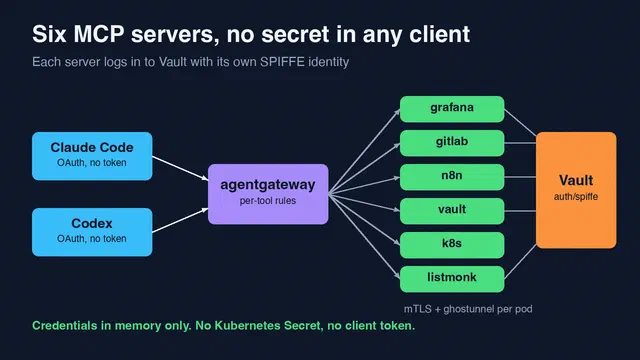
Six MCP Servers, and No Secret in Any Client
Phase 2 of our MCP platform. Six MCP servers on Talos get their credentials from Vault with their SPIFFE identity, and the AI clients keep no tokens …
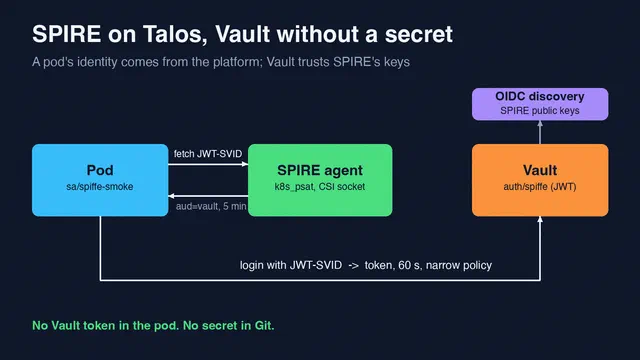
SPIRE on Talos, and a Vault Login Without a Secret
We installed SPIRE on a Talos cluster with Flux and let pods log in to Vault Community with a JWT-SVID. No Vault token, no secret in the pod.
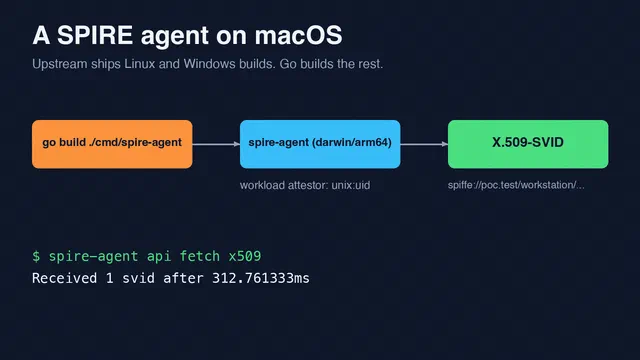
Running a SPIRE Agent on macOS by Building It Yourself
SPIRE ships no macOS build. We compiled spire-agent for Apple Silicon and got a working X.509-SVID in a local end-to-end test.