Setting up RustFS S3 Storage with Docker for Kubernetes Backups
On this page
Database backups that stay inside the Kubernetes cluster are lost together with the cluster. They belong on separate storage, and S3 is the easiest target for scripted uploads.
RustFS is a self-hosted, S3-compatible object store written in Rust. In this tutorial we run it with Docker Compose behind Traefik for TLS, then add Kubernetes CronJobs that dump databases, upload them to RustFS, and send failure notifications via ntfy.
Why RustFS? #
- S3-compatible: works with its own
rcclient, the aws CLI and other S3 tools. - IAM built in: users and AWS-style JSON policies, so each backup job gets a key for its own bucket only.
- Versioning and lifecycle rules: old backups expire automatically, and an overwritten backup can be recovered.
- Small footprint: one container, one data directory for a single node.
- Open source: Apache 2.0.
When to use it #
- Use it as a homelab or small-business backup target that applications reach with static keys.
- Skip it when you need several copies inside the object store itself. A single-node RustFS with one data directory has no erasure-coding parity: protect the disk with ZFS or RAID and keep a second copy elsewhere.
Which S3 client #
The open-source MinIO Client (mc) is no longer a practical choice: https://dl.min.io/client/mc/release/... returns 410 Gone. This post uses rc, the RustFS CLI:
| Client | Admin (users, policies) | Data (upload, download) | Notes |
|---|---|---|---|
rc (RustFS CLI) | Yes | Yes | One static binary; mc-like syntax; also bundled in the RustFS image |
| aws CLI v2 | No | Yes | Works against RustFS 1.0.6 with its default checksum settings (tested with 2.41.0) |
mc | - | - | Download returns 410 Gone |
Prerequisites #
- A Linux server with Docker and Docker Compose installed
- Traefik running as a reverse proxy with automatic TLS (Let’s Encrypt), on a Docker network named
traefik_network - A Kubernetes cluster with External Secrets Operator and HashiCorp Vault
- A domain name pointing to your server (we’ll use
backups.example.com) - An ntfy topic for failure alerts (we’ll use
https://ntfy.example.com/backups)
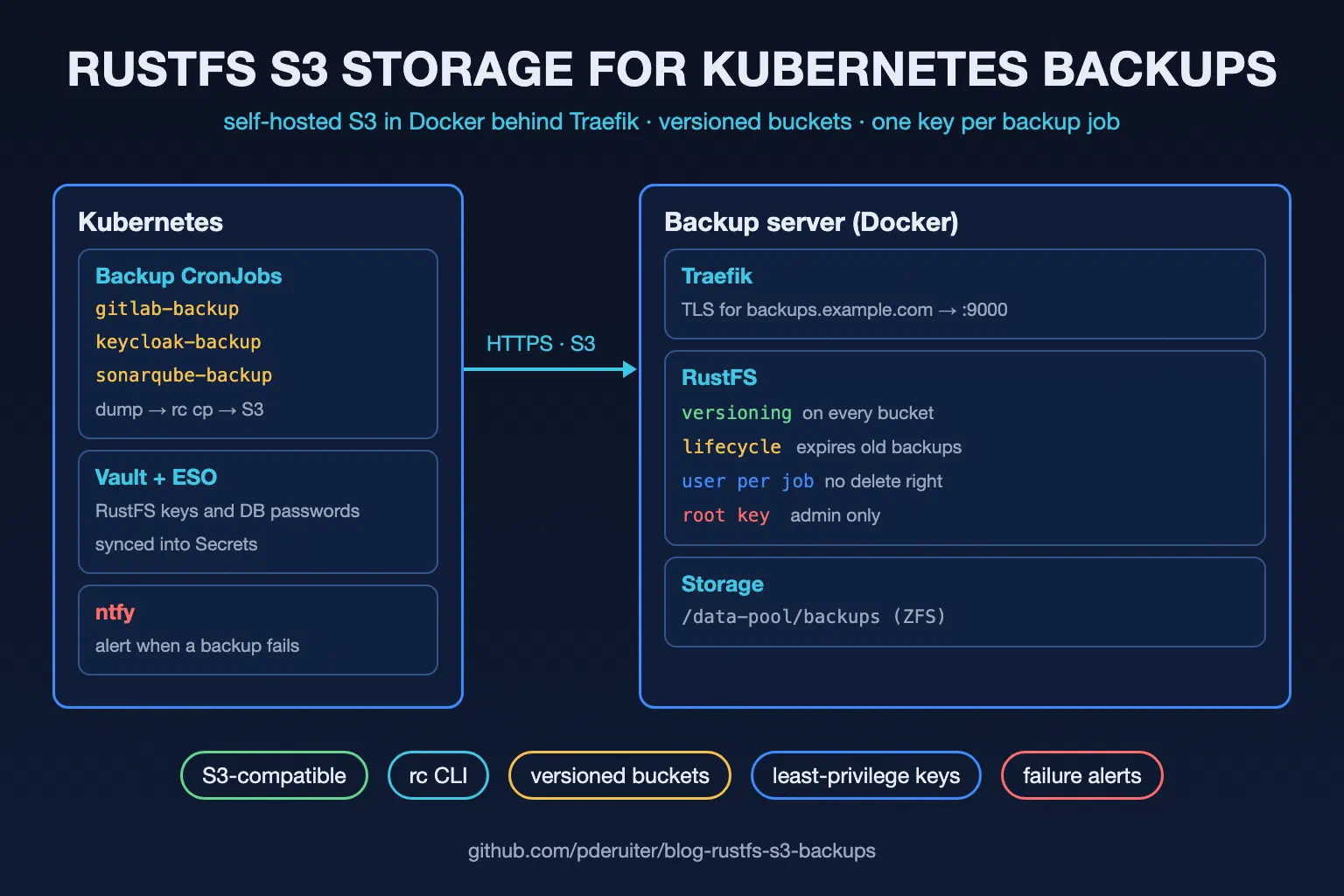
Architecture Overview #
┌─────────────────────────────────────┐
│         Kubernetes Cluster          │
│                                     │
│  ┌──────────────┐ ┌──────────────┐  │
│  │gitlab-backup │ │keycloak-backup│ │
│  │  CronJob     │ │  CronJob     │  │
│  └──────┬───────┘ └──────┬───────┘  │
│         │                │          │
│  ┌──────┴────────────────┴───────┐  │
│  │     rc (RustFS CLI) → S3      │  │
│  └──────────────┬────────────────┘  │
└─────────────────┼───────────────────┘
                  │ HTTPS
┌─────────────────┼───────────────────┐
│  Backup Server  │                   │
│  ┌──────────────▼────────────────┐  │
│  │    Traefik (TLS termination)  │  │
│  └──────────────┬────────────────┘  │
│  ┌──────────────▼────────────────┐  │
│  │    RustFS S3 (port 9000)      │  │
│  │    ┌────────────────────────┐ │  │
│  │    │ Buckets (versioned):   │ │  │
│  │    │  - gitlab-backup       │ │  │
│  │    │  - keycloak-backup     │ │  │
│  │    │  - sonarqube-backup    │ │  │
│  │    └────────────────────────┘ │  │
│  └───────────────────────────────┘  │
│  Storage: /data-pool/backups (ZFS)  │
└─────────────────────────────────────┘
| Component | Runs on | Job |
|---|---|---|
| RustFS | Backup server (Docker) | S3 API on port 9000; stores the objects on /data-pool/backups. |
| Traefik | Backup server (Docker) | Terminates TLS for backups.example.com, forwards to port 9000. |
| Backup CronJobs | Kubernetes, one namespace per application | Dump the database, upload it with rc, notify ntfy on failure. |
| Vault + External Secrets Operator | Kubernetes | Hold the RustFS keys and database passwords, sync them into Secrets. |
| ntfy | Your ntfy instance | Pushes failure alerts to phone or desktop. |
The flow: CronJob fires → pg_dump | gzip → rc put over HTTPS → Traefik → RustFS bucket → lifecycle rule expires it after 15 days. Any failure on the way → ntfy alert.
Part 1: Installing and Configuring RustFS #
All files live in /opt/rustfs. Run the commands as root.
Step 1: Create the Root Credentials #
The root user manages buckets, users and policies; the backup jobs never get it. RustFS can read both keys from files, so they don’t show up in docker inspect:
- The container runs as uid/gid
10001, which must be able to read the files. - Mode
0400on the files and0700on the directory keep everyone else out.
mkdir -p /opt/rustfs/secrets && cd /opt/rustfs
openssl rand -hex 10 > secrets/rustfs_access_key
openssl rand -hex 32 > secrets/rustfs_secret_key
chown -R 10001:10001 secrets
chmod 0400 secrets/*
chmod 0700 secrets
Step 2: Prepare the Data Directory #
RustFS stores objects and its own metadata (IAM, bucket settings) in the data directory. Use a dedicated disk or ZFS dataset, owned by the container user:
mkdir -p /data-pool/backups
chown 10001:10001 /data-pool/backups
Step 3: Create the Docker Compose File #
The Compose file runs RustFS on the existing Traefik network. The labels route backups.example.com over HTTPS to the S3 API.
| Setting | What it does |
|---|---|
image: rustfs/rustfs:1.0.6 | A pinned release; latest changes under you. |
RUSTFS_VOLUMES: /data | One data directory: a single-node, single-disk setup. |
RUSTFS_ADDRESS: ":9000" | The S3 API. Traefik forwards to it. |
RUSTFS_ACCESS_KEY_FILE, RUSTFS_SECRET_KEY_FILE | Root credentials from the files of Step 1. |
RUSTFS_CONSOLE_ENABLE: "false" | The web console (port 9001) is on by default; a backup target doesn’t need it. |
RUSTFS_OBS_LOG_DIRECTORY: "" | Logs go to stdout (docker logs) instead of /logs inside the container. |
| Traefik labels | Only port 9000 is routed. Nothing is published on the host. |
Create /opt/rustfs/docker-compose.yml:
services:
  rustfs:
    image: rustfs/rustfs:1.0.6
    container_name: rustfs
    restart: unless-stopped
    environment:
      RUSTFS_VOLUMES: /data
      RUSTFS_ADDRESS: ":9000"
      RUSTFS_ACCESS_KEY_FILE: /run/secrets/rustfs_access_key
      RUSTFS_SECRET_KEY_FILE: /run/secrets/rustfs_secret_key
      RUSTFS_CONSOLE_ENABLE: "false"
      RUSTFS_OBS_LOG_DIRECTORY: ""
    volumes:
      - /data-pool/backups:/data
      - ./secrets:/run/secrets:ro
    networks:
      - traefik_network
    labels:
      - "traefik.enable=true"
      - "traefik.http.routers.rustfs-s3.rule=Host(`backups.example.com`)"
      - "traefik.http.routers.rustfs-s3.entrypoints=websecure"
      - "traefik.http.routers.rustfs-s3.tls=true"
      - "traefik.http.routers.rustfs-s3.tls.certresolver=production"
      - "traefik.http.routers.rustfs-s3.service=rustfs-s3"
      - "traefik.http.services.rustfs-s3.loadbalancer.server.port=9000"

networks:
  traefik_network:
    external: true
Step 4: Start RustFS #
Start the container:
docker compose up -d
Check the health endpoint through Traefik. It answers with "status":"ok" and the version:
curl https://backups.example.com/health
Step 5: Configure the Admin Client #
The RustFS image ships rc, so you can manage it with docker exec. Give rc an alias called local with the root credentials:
docker exec rustfs sh -c 'rc alias set local http://127.0.0.1:9000 \
  "$(cat /run/secrets/rustfs_access_key)" "$(cat /run/secrets/rustfs_secret_key)"'
The alias lives inside the container. Set it again after the container is recreated.
Step 6: Create the Buckets #
One bucket per application. Versioning keeps the previous version when an object is overwritten, so a leaked backup key can’t silently replace your backups:
for b in gitlab-backup keycloak-backup sonarqube-backup; do
  docker exec rustfs rc bucket create local/$b
  docker exec rustfs rc bucket version enable local/$b
done
Step 7: Configure Lifecycle Expiration #
Lifecycle rules delete old backups automatically, so the disk doesn’t fill up. On a versioned bucket, expiring the current version only adds a delete marker, so you need three parts:
--expiry-days 15: the current version of a backup expires after 15 days.--noncurrent-expiry-days 7: older versions (overwritten or expired) are removed 7 days later.--expired-object-delete-marker: removes the delete markers that are left over.
for b in gitlab-backup keycloak-backup sonarqube-backup; do
  docker exec rustfs rc bucket lifecycle rule add local/$b --expiry-days 15 --noncurrent-expiry-days 7
  docker exec rustfs rc bucket lifecycle rule add local/$b --expired-object-delete-marker
done
Check the rules:
docker exec rustfs rc bucket lifecycle rule list local/gitlab-backup
Step 8: Create a User per Application #
Each backup job gets its own user, limited to its own bucket. The policy allows listing, upload and download, and no delete: expiry is the lifecycle rules’ job.
Create gitlab-backup-rw.json:
{
  "Version": "2012-10-17",
  "Statement": [
    {
      "Effect": "Allow",
      "Action": ["s3:ListBucket", "s3:GetBucketLocation"],
      "Resource": ["arn:aws:s3:::gitlab-backup"]
    },
    {
      "Effect": "Allow",
      "Action": ["s3:PutObject", "s3:GetObject", "s3:AbortMultipartUpload", "s3:ListMultipartUploadParts"],
      "Resource": ["arn:aws:s3:::gitlab-backup/*"]
    }
  ]
}
Load the policy, create the user and attach the policy. The user name is the access key; save the secret, the CronJob needs it:
docker exec -i rustfs rc admin policy create local/ gitlab-backup-rw /dev/stdin < gitlab-backup-rw.json
SECRET=$(openssl rand -hex 24); echo "$SECRET"
docker exec rustfs rc admin user add local/ gitlab-backup "$SECRET"
docker exec rustfs rc admin policy attach local/ gitlab-backup-rw --user gitlab-backup
Repeat for keycloak-backup and sonarqube-backup, with the bucket name changed in the policy.
Step 9: Test Connectivity #
Test as the backup user, from your workstation, the same way the CronJob will connect. Install rc from the RustFS CLI releases:
curl -LO https://github.com/rustfs/cli/releases/download/v0.1.38/rustfs-cli-linux-amd64-v0.1.38.tar.gz
curl -LO https://github.com/rustfs/cli/releases/download/v0.1.38/rustfs-cli-linux-amd64-v0.1.38.tar.gz.sha256
sha256sum -c rustfs-cli-linux-amd64-v0.1.38.tar.gz.sha256
tar -xzf rustfs-cli-linux-amd64-v0.1.38.tar.gz rc && sudo install rc /usr/local/bin/
A round trip: list, upload, list, and a delete that must fail. If the delete is denied, the policy works:
rc alias set backup https://backups.example.com gitlab-backup "$SECRET" --bucket-lookup path
rc bucket list backup/
rc put testfile.txt backup/gitlab-backup/
rc object list backup/gitlab-backup/
rc object remove backup/gitlab-backup/testfile.txt   # AccessDenied: expected
rc bucket list backup/ shows only gitlab-backup. The test file expires with the lifecycle rule.
Part 2: Kubernetes Backup CronJobs #
With RustFS running and buckets configured, we can create CronJobs that automatically back up our application databases.
Store Credentials in Vault #
The RustFS keys live in Vault, not in manifests. The External Secrets Operator syncs them into Kubernetes:
vault kv put secret/kubernetes/rustfs/gitlab-backup \
  access-key-id="gitlab-backup" \
  secret-access-key="YOUR_SECRET"
For each application that needs backing up, ensure its database password is also in Vault.
ExternalSecret for RustFS Credentials #
Each backup namespace needs an ExternalSecret that pulls its keys from Vault into a Secret named rustfs-credentials:
secretStoreRef: the cluster-widevault-backendstore.refreshInterval: 1h: a rotated key in Vault reaches the cluster within an hour.data: maps the Vault properties to theACCESS_KEYandSECRET_KEYkeys the CronJob reads.
apiVersion: external-secrets.io/v1
kind: ExternalSecret
metadata:
  name: rustfs-credentials
  namespace: gitlab-backup
spec:
  refreshInterval: 1h
  secretStoreRef:
    kind: ClusterSecretStore
    name: vault-backend
  target:
    name: rustfs-credentials
  data:
    - secretKey: ACCESS_KEY
      remoteRef:
        key: secret/kubernetes/rustfs/gitlab-backup
        property: access-key-id
    - secretKey: SECRET_KEY
      remoteRef:
        key: secret/kubernetes/rustfs/gitlab-backup
        property: secret-access-key
The Backup CronJob Pattern #
All our backup CronJobs follow the same pattern:
- Init container (
rustfs/rc) copies the staticrcbinary into a shared emptyDir volume. - Main container (
postgres:16.16-alpine) runspg_dump, compresses with gzip, uploads to RustFS withrc, and sends a failure notification to ntfy if anything goes wrong.
Job settings worth knowing:
| Setting | What it does |
|---|---|
schedule: "0 3 * * *" | Daily at 03:00. |
concurrencyPolicy: Forbid | No new run while the previous one is still busy. |
successfulJobsHistoryLimit / failedJobsHistoryLimit | Keep the last 3 of each for their logs. |
backoffLimit: 2 | Retry a failed job twice. |
activeDeadlineSeconds: 3600 | Kill a job that runs longer than an hour. |
tools emptyDir | Shares the rc binary from the init container with the backup container. |
Here’s the complete CronJob for a PostgreSQL database backup:
apiVersion: batch/v1
kind: CronJob
metadata:
  name: gitlab-backup
  namespace: gitlab-backup
spec:
  schedule: "0 3 * * *"
  concurrencyPolicy: Forbid
  successfulJobsHistoryLimit: 3
  failedJobsHistoryLimit: 3
  jobTemplate:
    spec:
      backoffLimit: 2
      activeDeadlineSeconds: 3600
      template:
        spec:
          restartPolicy: OnFailure
          initContainers:
            - name: copy-rc
              image: rustfs/rc:v0.1.38
              command: ["cp", "/usr/bin/rc", "/tools/rc"]
              volumeMounts:
                - name: tools
                  mountPath: /tools
              resources:
                requests:
                  cpu: 10m
                  memory: 16Mi
                limits:
                  cpu: 100m
                  memory: 64Mi
          containers:
            - name: backup
              image: postgres:16.16-alpine
              command: ["bash", "-c"]
              args:
                - |
                  set -eo pipefail
                  DATE=$(date -u +%Y-%m-%dT%H%M%SZ)
                  BUCKET="gitlab-backup"
                  RUSTFS_URL="https://backups.example.com"
                  NTFY_URL="https://ntfy.example.com/backups"
                  JOB_NAME="gitlab-backup"
                  RC=/tools/rc

                  # Send ntfy notification on failure
                  notify_failure() {
                    local exit_code=$?
                    if [ $exit_code -ne 0 ]; then
                      wget -qO /dev/null \
                        --header="Title: Backup Failed: $JOB_NAME" \
                        --header="Priority: high" \
                        --header="Tags: rotating_light" \
                        --post-data="$JOB_NAME failed at $DATE with exit code $exit_code" \
                        "$NTFY_URL" 2>/dev/null || true
                    fi
                  }
                  trap notify_failure EXIT

                  # Configure rc and verify bucket access
                  $RC alias set rustfs "$RUSTFS_URL" \
                    "$RUSTFS_ACCESS_KEY" "$RUSTFS_SECRET_KEY" --bucket-lookup path > /dev/null
                  $RC bucket list "rustfs/$BUCKET" > /dev/null
                  echo "=== RustFS connection verified ==="

                  # Dump and upload
                  echo "=== Backing up PostgreSQL database ==="
                  DUMP_FILE="/tmp/${JOB_NAME}-db-${DATE}.sql.gz"
                  PGPASSWORD="$DB_PASSWORD" pg_dump \
                    -h gitlab-postgres.gitlab.svc \
                    -U gitlab -d gitlab \
                    --no-owner --no-privileges | gzip > "$DUMP_FILE"

                  SIZE=$(du -h "$DUMP_FILE" | cut -f1)
                  echo "Database dump complete: $SIZE"

                  $RC put --no-progress "$DUMP_FILE" \
                    "rustfs/$BUCKET/db/${JOB_NAME}-db-${DATE}.sql.gz"
                  echo "Uploaded to RustFS"

                  rm -f "$DUMP_FILE"
                  echo "=== Backup completed successfully ==="
              env:
                - name: RUSTFS_ACCESS_KEY
                  valueFrom:
                    secretKeyRef:
                      name: rustfs-credentials
                      key: ACCESS_KEY
                - name: RUSTFS_SECRET_KEY
                  valueFrom:
                    secretKeyRef:
                      name: rustfs-credentials
                      key: SECRET_KEY
                - name: DB_PASSWORD
                  valueFrom:
                    secretKeyRef:
                      name: gitlab-db-password
                      key: password
              volumeMounts:
                - name: tools
                  mountPath: /tools
                  readOnly: true
              resources:
                requests:
                  cpu: 50m
                  memory: 128Mi
                limits:
                  cpu: 500m
                  memory: 256Mi
          volumes:
            - name: tools
              emptyDir: {}
Key Design Decisions #
Why copy rc from its image?
- The
rustfs/rcimage contains one static binary,/usr/bin/rc. It runs in any Linux container, so the init container only needscp. - If the copy fails, the init container fails and the backup container never starts. There is no half-installed client that “succeeds” without uploading.
Why postgres:16.16-alpine?
- The Alpine image has CA certificates and BusyBox
wgetwith TLS.rc(for RustFS) andwget(for ntfy) verify the certificates against it with no extra setup. - The Debian-based
postgresimage has neither;rcfails there withInvalidCertificate(UnknownIssuer). - Use the same major version as your database server:
pg_dumprefuses to dump a newer server.
Why set -eo pipefail + trap EXIT?
set -e: the script exits on any command failure.pipefail: matters forpg_dump | gzip. Without it the pipeline’s exit status is gzip’s, so a failedpg_dump(database down, wrong password) uploads a 20-byte empty archive and reports success.bash -cinstead ofsh -c:pipefailneeds bash, which thepostgresimage ships.trap notify_failure EXIT: fires on every exit; the function only notifies when the exit code is non-zero. This catches all failure modes without error handling at every step.
Why dump to a file first?
The upload starts only after pg_dump has finished. A dump that fails halfway never reaches the bucket, so the newest object is always a complete one.
Why --bucket-lookup path?
Without RUSTFS_SERVER_DOMAINS, RustFS only understands path-style requests (https://backups.example.com/gitlab-backup/...). Setting it explicitly keeps rc from trying virtual-host style.
Stagger Your Backup Schedules #
When running multiple backup CronJobs, stagger them to avoid resource contention:
| Job | Schedule | Bucket |
|---|---|---|
| gitlab-backup | 03:00 | gitlab-backup |
| keycloak-backup | 03:15 | keycloak-backup |
| sonarqube-backup | 03:30 | sonarqube-backup |
Testing a Backup Job #
Don’t wait for 03:00. Create a one-off Job from the CronJob and check the result:
kubectl create job --from=cronjob/gitlab-backup gitlab-backup-test -n gitlab-backup
Follow the logs:
kubectl logs -f -n gitlab-backup job/gitlab-backup-test
Verify the backup landed in RustFS:
rc object list backup/gitlab-backup/db/
Restoring a Backup #
A backup you haven’t restored is a hope, not a backup. The backup user can read its own bucket, so a restore needs no extra rights. Stream the dump into an empty database:
rc object show backup/gitlab-backup/db/gitlab-backup-db-<DATE>.sql.gz \
  | gunzip | psql -v ON_ERROR_STOP=1 -h <host> -U gitlab -d <empty database>
If a backup was overwritten, the previous version is still there for 7 days. Restore it as root on the backup server:
docker exec rustfs rc bucket version list local/gitlab-backup/db/gitlab-backup-db-<DATE>.sql.gz
docker exec rustfs rc undo local/gitlab-backup/db/gitlab-backup-db-<DATE>.sql.gz
Part 3: Monitoring and Alerting #
ntfy Failure Notifications #
Each CronJob sends a high-priority notification to ntfy when it fails. Subscribe to the backups topic on your ntfy instance to receive alerts on your phone or desktop.
| Field | Value |
|---|---|
| Title | Backup Failed: <job-name> |
| Priority | High |
| Tags | rotating_light (shown as a red siren) |
| Body | Job name, timestamp, and exit code |
Verifying Backups #
ntfy only reports failures. Periodically check that backups are running and lifecycle rules are in place, as root on the backup server:
# List all backups
docker exec rustfs rc object list --recursive local/gitlab-backup/
docker exec rustfs rc object list --recursive local/keycloak-backup/
docker exec rustfs rc object list --recursive local/sonarqube-backup/

# Check lifecycle rules
docker exec rustfs rc bucket lifecycle rule list local/gitlab-backup

# Storage usage, objects and versions per bucket
docker exec rustfs rc du local/
Troubleshooting #
| Symptom | Cause / fix |
|---|---|
RustFS exits with Disk local startup permission denied | The data directory is not owned by 10001:10001 (Step 2). |
RustFS exits with ERROR: RUSTFS_ACCESS_KEY_FILE points to an unreadable file. | Owner or mode of the secret files (Step 1). |
rc fails with InvalidCertificate(UnknownIssuer) | The container has no CA certificates (for example the Debian postgres image). Use the Alpine image, or a client container with ca-certificates. |
rc fails with Alias 'rustfs' not found | rc alias set did not run or failed. In docker exec, set the local alias again after the container was recreated. |
AccessDenied on upload | The user’s policy names another bucket, or the policy is not attached (rc admin user info local/ <user>). |
AccessDenied on delete | Expected: the backup policy has no delete. |
Requests for https://<bucket>.backups.example.com fail | The client uses virtual-host style. Use path style (--bucket-lookup path), or set RUSTFS_SERVER_DOMAINS. |
Security Considerations #
- Only the S3 API is exposed: Traefik routes port 9000; the console is off and nothing is published on the host.
- Root stays on the server: the root keys are only in
/opt/rustfs/secrets(mode 0400). Backup jobs use their own users. - Least privilege: each user can list, write and read one bucket, and can’t delete, create buckets or use the admin API.
- Versioning: an overwritten backup stays recoverable for 7 days.
- Secrets: RustFS keys and database passwords only in Vault, synced by the External Secrets Operator.
- TLS everywhere: uploads and ntfy calls go over HTTPS with certificate verification.
Automate it #
The Ansible roles and Terraform code that build this setup are on GitHub:
pderuiter/blog-rustfs-s3-backups. It creates a backup server with RustFS (buckets, versioning, lifecycle rules, and a user and policy per job) and a single-node k3s cluster with the backup CronJob. Run terraform apply, then ansible-playbook site.yml.
Summary #
RustFS provides a lightweight S3 backend for homelab backups. Combined with Kubernetes CronJobs, the External Secrets Operator and ntfy, you get a backup pipeline that:
- Runs daily on a staggered schedule
- Uploads compressed database dumps to RustFS over TLS, one user per bucket
- Automatically expires backups older than 15 days, and keeps overwritten ones for 7 days
- Sends push notifications on failure
- Stores all credentials securely in Vault
Get new posts by email
One mail when a new article goes live: what it covers and a link. No tracking pixels, unsubscribe in one click.
Related articles
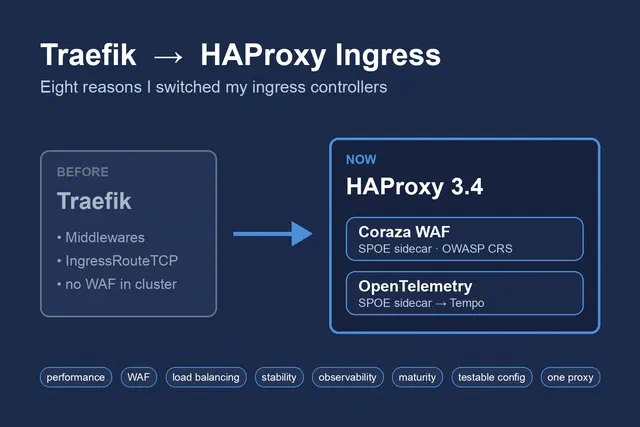
Eight Reasons I Switched from Traefik to HAProxy Ingress
Why I replaced Traefik with the HAProxy Kubernetes Ingress Controller on seven Talos clusters, and what the setup looks like before and after.
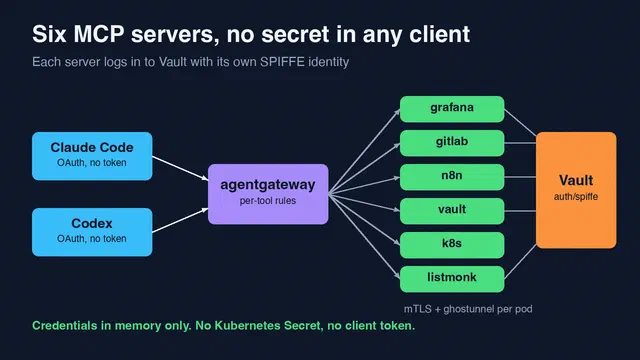
Six MCP Servers, and No Secret in Any Client
Phase 2 of our MCP platform. Six MCP servers on Talos get their credentials from Vault with their SPIFFE identity, and the AI clients keep no tokens …
An MCP Gateway With Keycloak and SPIFFE: the Proof of Concept
agentgateway in front of an MCP server on Talos. SPIRE JWT-SVIDs for workloads, Keycloak OAuth for people, mTLS to the backend, and one issuer …